01 · Getting Started
From zero to "first restring reminder" — about 5 minutes.
Install
Install APK (Android)
- Pick a source from the Download page, download
app-release.apk - The first time you open it, Android blocks "unknown sources":
Settings → Apps → Special app access → Install unknown apps- Select your browser / file manager and turn on "Allow from this source"
- Tap the APK again →
Install anyway→Done
iOS users: there is no available build — see 00 · Platforms.
Launch
Tap the desktop icon. On first launch the App does three things:
- Initializes the local SQLite database (rackets, stringing log)
- Requests "Notifications" permission (for restring reminders)
- Shows the home screen directly — no account, no login
Notifications declined? Don't worry — you can re-enable under
Settings → Notifications, but without notifications you will not get restring reminders.
Home — the four features
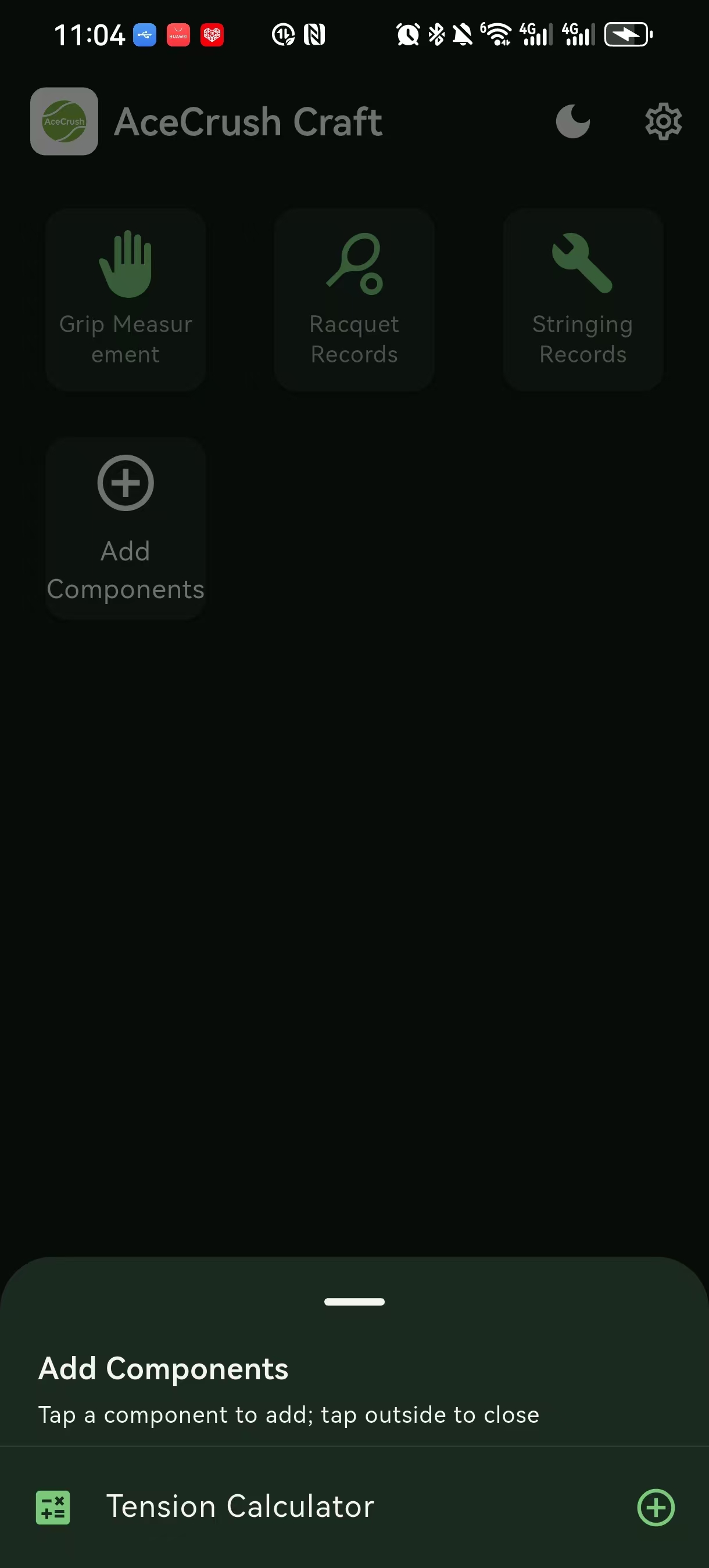
The home screen is two big cards on top + the feature grid:
| Card | What it does |
|---|---|
| AI grip size | Snap a palm photo → recommended grip size |
| Tension conversion | DT ⇄ RT ⇄ lbs ⇄ kg cross-calculator |
The feature grid below has:
- AI grip size — same as the top card
- Racket profile — your collection of rackets
- Stringing log — restring history + reminders
- Tension conversion — same as the top card
- Settings — theme, units, privacy, feedback, open-source licenses
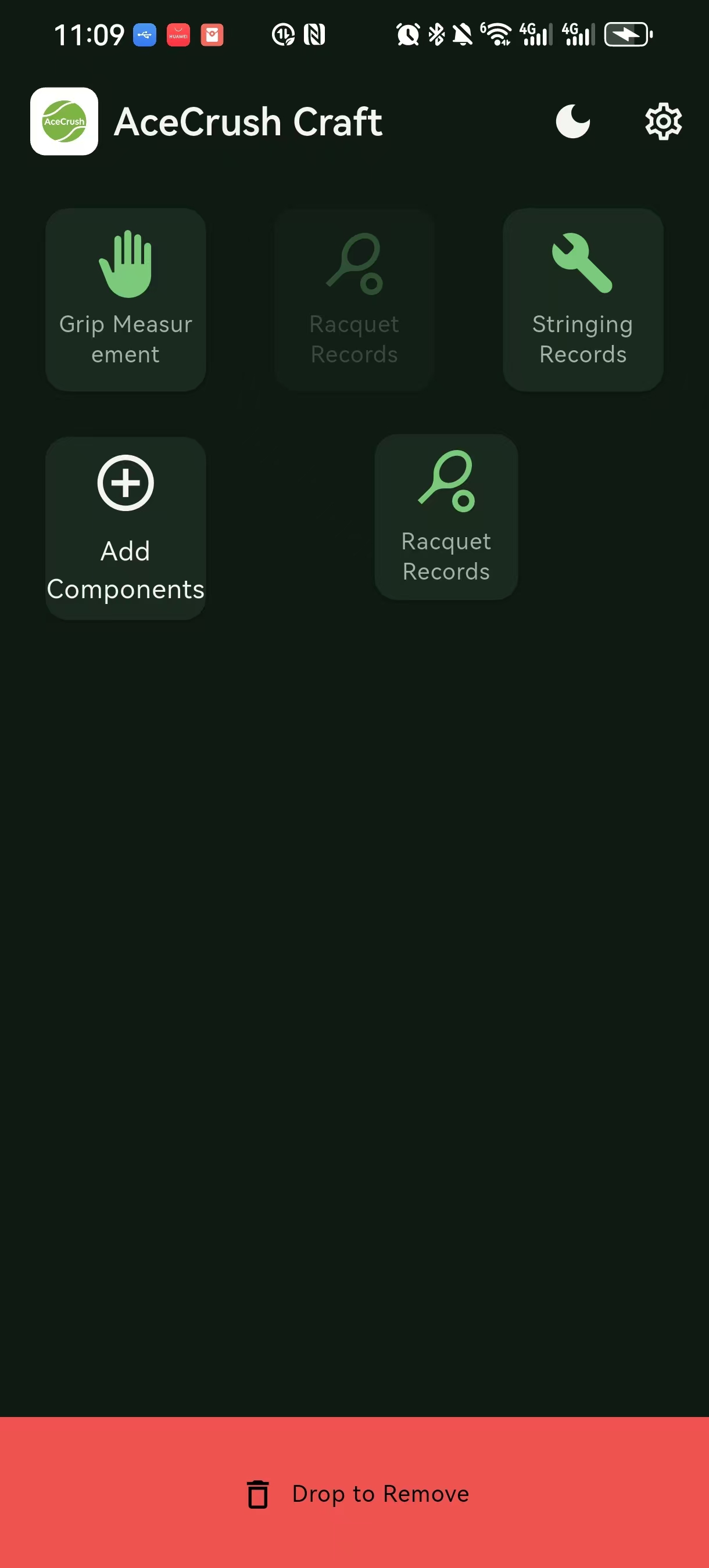
Drag the home grid to reorder features; long-press to drop one onto the home cards. The order is per-device only.
Turn on notifications (the most important step)
If notifications stay off → restring reminders never fire. Strongly recommended as the very first thing to do:
- Open
Metab →Notifications & reminders - Toggle "Restring reminders" on → in Android system settings, allow this App to send notifications
- Set a reminder time window (default
09:00; change to20:00/12:00if you prefer evening)
If you later don't want notifications, just turn them off again.
Three bottom tabs
| Tab | What you do here |
|---|---|
| Home | All four features, big cards on top + grid |
| Rackets | Profile list, stringing log, reminder settings |
| Me | Theme / language / units / privacy / feedback / open-source licenses |
Walk-through: add your first racket and record a restring
This is the minimum path to feel the App's value:
Step 1 — Add a racket (03 · Rackets)
Racketstab →+ Add racket- Enter at least 4 fields: Name, Brand, Model, Headsize
- Optional: length / weight / balance / notes
Save
Step 2 — Record a restring (04 · Stringing log)
- In the racket detail page,
Stringing logtab →+ Add stringing record - Fill: date (default today), string model, tension (main / cross), optional stringer name, notes
Save
Step 3 — Set a restring reminder
Still in the racket detail → Set restring reminder → pick a rule:
- By time (default 90 days later)
- By play hours (your weekly sessions × duration → estimate)
Pick the reminder time window.
You don't need to log any data? The reminder still fires — it just reads "Time to check your strings".
Theme, language, units
Me tab:
- Theme: Follow system / Light / Dark (V1.1+ adds OLED pure black)
- Units: length = mm / inches; weight = g / oz; tension = lbs / kg
- Language: 简体中文 (V1.0) + English (V1.0+)
Language setting only affects the App display — it won't translate your notes or racket names.
First feedback
Me tab → Feedback & suggestions:
- One-sentence description →
Send - The feedback record carries the App version + device basics (OS version / screen resolution, no account info or your private data)
See 09 · Feedback.
Common questions
After uninstall, is the data still there?
No. All data is stored in the App sandbox (Android: /data/data/com.acecrushcraft.app/databases/); uninstalling wipes it. Before installing V1.1, do Settings → Export for a JSON backup.
When is iOS coming?
No ETA yet. We are polishing Android V1.0 / V1.1 first; iOS is planned.
Does it work with the network off?
Yes, except for:
- Feedback submission