04 · Stringing Log
Feature 3 of 4. One record per restring + auto reminder when it's time.
What it does
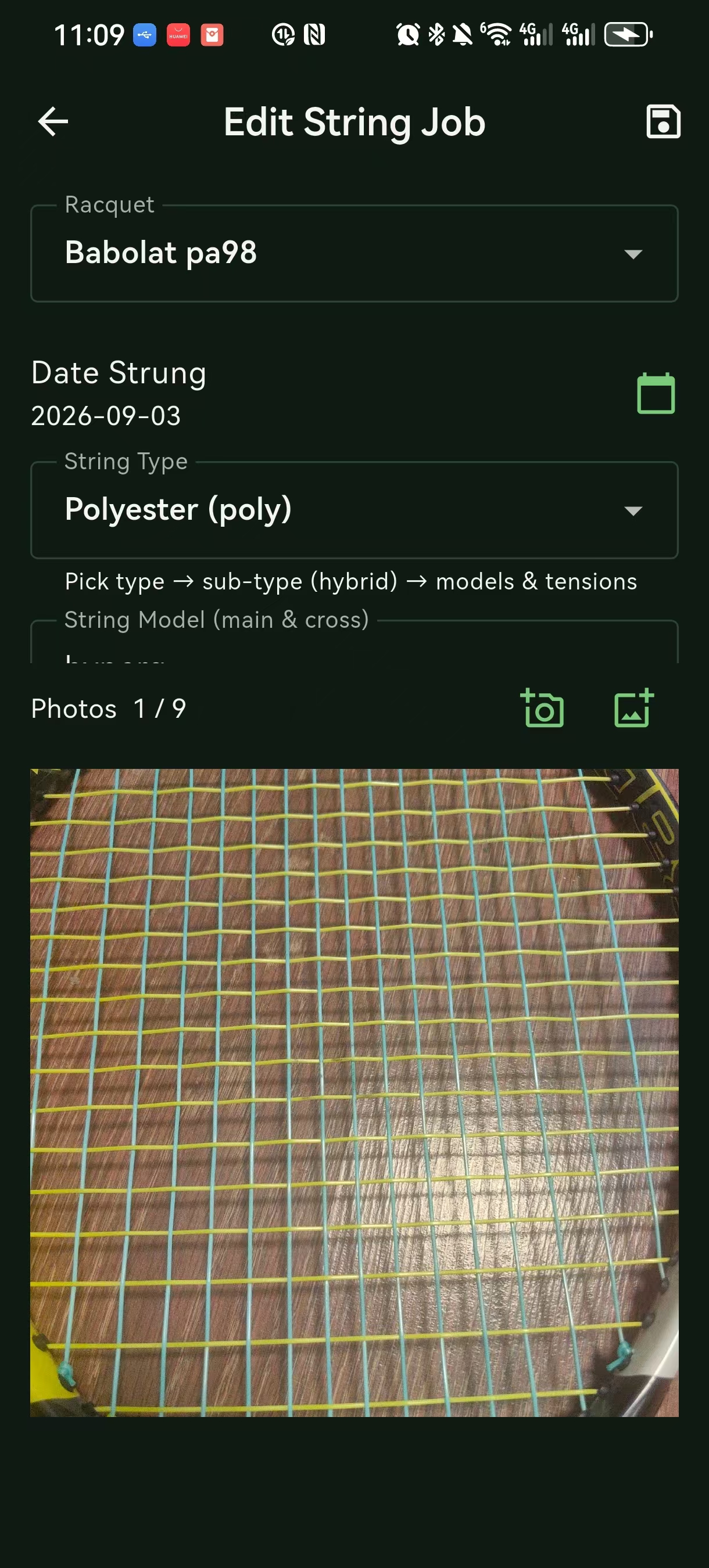
A "stringing log" tab on each racket's detail page. Each entry is one restring:
- Date
- String model (main + cross)
- Tension (main / cross)
- Stringer (optional)
- Notes
- Source — "Manual" / "From 05 · Tension conversion" (if entered via that handoff)
The latest record's date also drives the racket's "last restring" stamp on the list page.
Add a stringing record
- Open the racket →
Stringing logtab →+ Add stringing record - Fill the form:
| Field | Default | Notes |
|---|---|---|
| Date | Today | Past dates are also OK |
| String main | empty | Dropdown with our preset string library (Yonex BG65 / BG80, Wilson NXT, polyester series, etc.); can be custom |
| String cross | empty | Optional — leave blank for a single-string setup |
| Tension main | (inherits from racket profile) | lbs or kg; can override |
| Tension cross | (inherits) | Optional |
| Stringer | empty | Free text |
| Notes | empty | "2 overgrip layers / 1 dampener / strung 30 min" |
| Source | Manual | Set automatically to "From Tension conversion" if you came in via chapter 05 |
Save
Don't know the string model? Open
Stringing log → String libraryfor our preset list of a few hundred items; can be custom too.
The stringing library
The dropdown is backed by an offline string database:
- Brand: Yonex, Wilson, Babolat, Head, Prince, Luxilon, Tecnifibre, …
- Type: multifilament / polyester / natural gut / hybrid
- For each: typical play life (hours), recommended tension range
Filtering by type lets you see only what you've actually used.
Reminders
Mode A · By time
Simplest: remind every N days.
- Pick N (default 90, options 30 / 60 / 90 / 120 / 180)
- Pick reminder time window (default
09:00) - On trigger, the App auto-archives the "last restring" date, and the next reminder counts from that day
Mode B · By play hours
More granular: estimate your weekly sessions × duration → total play hours; fire when you reach a target (e.g. 80 hours).
- Weekly play frequency (sessions)
- Average session duration (hours)
- Target play hours (default 80 hours / string; cross-string default 60 hours)
- String type coefficient (multifilament nylon 1.0; polyester 0.7; natural gut 0.5)
Example: 3 sessions / week × 2 hours = 6 h/week, nylon 1.0 → 80 / 6 ≈ 13 weeks ≈ 3 months.
The App has a "remind for main and cross separately" toggle for Mode B.
What do the reminders look like?
Android system notification:
┌──────────────────────────────────────┐
│ 🏸 AceCrush Craft        9:00 AM    │
│                                      │
│ "Main Blade" is due for restring     │
│ Last strung: 2026-04-15, 92d ago    │
│                                      │
│ [Snooze] [View] [Mark restringed]    │
└──────────────────────────────────────┘
Mark restringed→ jumps straight to "Add stringing record" (you fill the date, the old entry is auto-archived)Snooze→ defer 24 hoursView→ racket detail page
Common questions
Can the tension come from the conversion tool?
Yes! That's the whole point of 05 · Tension conversion. When you're on the conversion result screen, tap "Use this tension → log stringing". The App jumps straight into "Add stringing record" with the tension pre-filled, the racket pre-selected, and the source marked as "From Tension conversion".
What if the system has notifications off?
Open system Settings → Apps → AceCrush Craft → Notifications and turn "Allow" back on. Then in the App, Me → Notifications & reminders reset all toggles.
Where do the strings live?
Offline in the App. They update alongside the App release; you can also add custom models.
I restring the same racket twice in a month — record both?
Yes. Each is its own entry. The reminder defaults to the latest one.
Deleting a racket
Detail page → top-right ··· → Delete racket.
Deleting also wipes all of its stringing records (no dangling data). Reminder again: this is on this device only — back up via
Settings → Export → JSONfirst.