06 · Cloud Sync (BYO Supabase · multi-device + photo backup)
The app ships in pure-local mode (no upload, no account). If you want multi-device sync + photo backup, spin up a free Supabase project (BYO model — your own project), paste URL + Anon Key into the login page. Entirely optional.
Steps
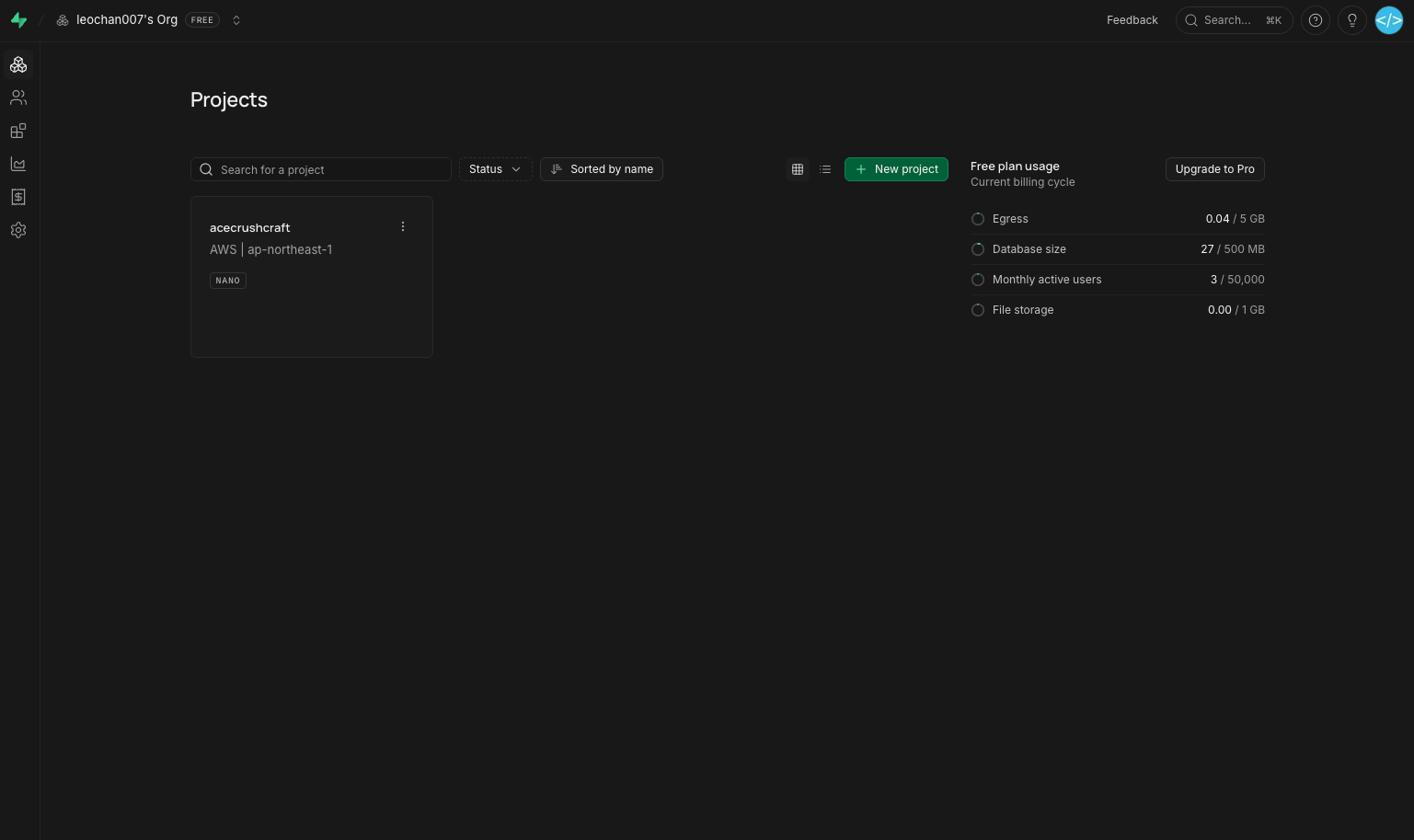
- Sign up at supabase.com → Dashboard → click "New project" to create a free-tier project.
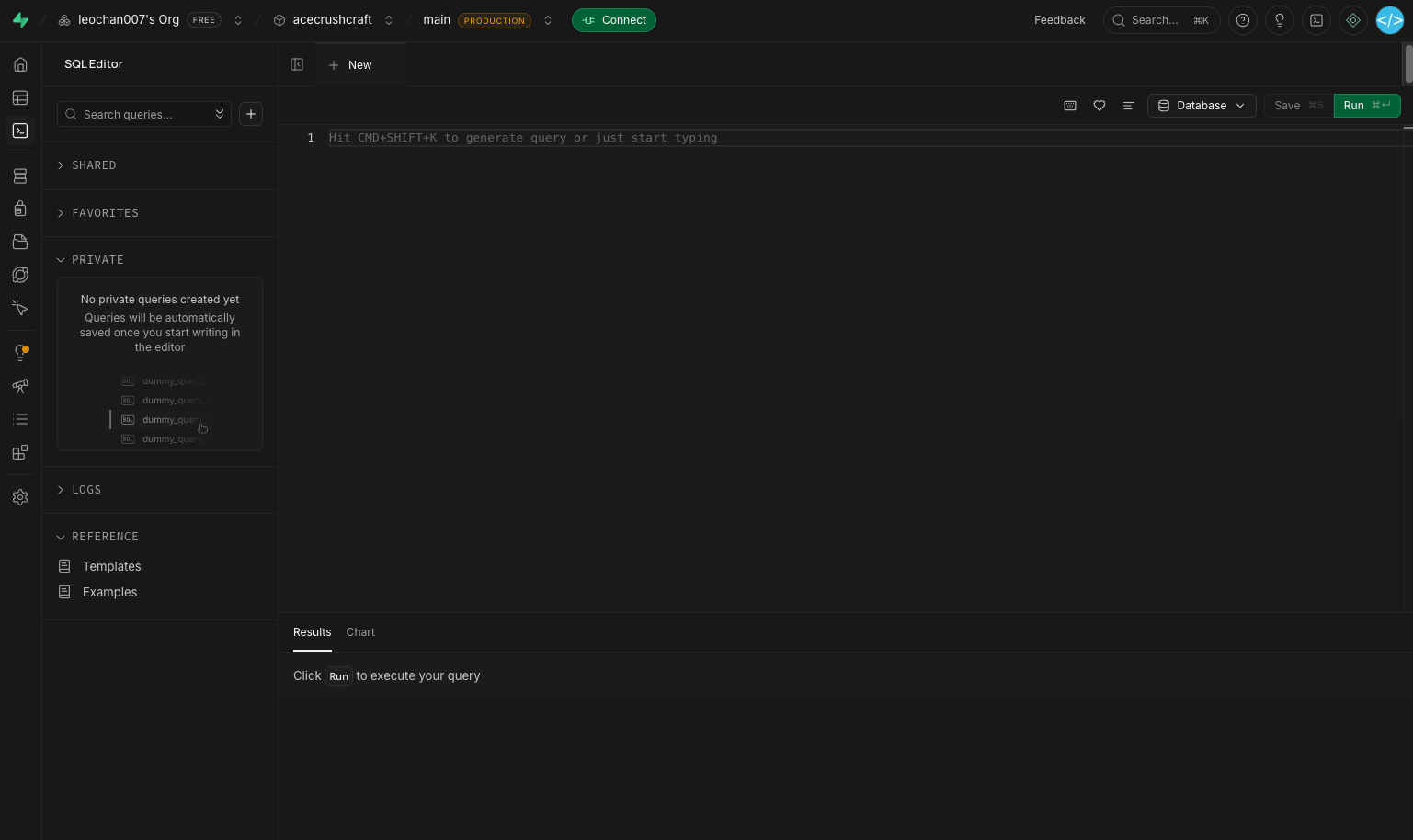
- Once the project is ready, left menu → SQL Editor → + New query → paste
schema.sql(the App has a one-tap "Copy schema.sql" button) → click Run.
Back in the App, open "Sign in / Sign up (cloud sync)" → pick the "Not yet configured" branch (first time) → paste your Supabase
Project URL+anon public key(from Project Settings → API) → Save.Pick one of the three sign-in methods on the login page: email code / GitHub OAuth / Google OAuth → data starts syncing both directions.
3 sign-in methods on the login page
| Method | When to use |
|---|---|
| Email code | Zero-config; first time, or if you don't want OAuth |
| GitHub OAuth | Requires enabling GitHub provider in Supabase Dashboard |
| Google OAuth | Requires enabling Google provider in Supabase Dashboard |
3 sync buttons on the login page
| Button | Behaviour | Risk |
|---|---|---|
| Sync now | Bidirectional LWW merge; conflicts → copy (id#c<ms>, both kept) | None |
| Restore from cloud ⚠️ | Delete all local → pull all cloud | Local unsynced changes lost |
| Push local to cloud ⚠️ | Delete all cloud for your account → push local | Other devices' cloud changes overwritten |
The latter two first show an AlertDialog with "Will delete N rows / M photos" + red "Confirm" button.
Pricing / quota
- Free tier: DB 500 MB / Storage 1 GB / 50,000 MAU — way more than any individual's racquet + stringing + grip data needs
- All data lives in your own Supabase project; AceCrush team can't see it; developer can't see it
- To stop using: tap the "Switch Supabase project" icon top-right of the login page → double confirm → clears current session
Troubleshooting
| Symptom | Cause / fix |
|---|---|
| Probe says "✗ Tables missing" | Didn't run schema.sql or run failed → redo step 2 |
| Probe says "✗ Invalid anon key" | Truncated when copying; recopy from Project Settings → API |
| GitHub / Google OAuth errors "provider not enabled" | Your self-built Supabase project doesn't have that provider enabled; enable in Dashboard or fall back to email code |
| Email login delivers a link instead of a 6-digit code | Dashboard → Authentication → Providers → Email → turn off "Confirm email"; Email Templates body must contain the token placeholder (rendered by Supabase as {{ .Token }}) |
| Photos don't download (rows sync OK but photoDown = 0) | Use "Restore from cloud" for a hard re-pull |